
If you log into your Storable Easy software and try to make changes to a gate code, or look at your gate log and see the message "There was a problem communicating with your cloud node", that means your cloud node has lost internet connectivity. This is usually one of two things: a problem with your cloud node connecting to your router, or your internet being offline.  Step 1: Check that you are getting a good internet connection from the Ethernet cable plugged into the cloud node.
The best way to do this is to remove the Ethernet cable from the Cloud Node and plug it directly into the laptop, then check whether you have a hardline connection (We do not want to use WiFi; we want to test the wired connection). If you are not getting internet from that ethernet cable, you can power cycle your router (turn it off, wait 90 seconds, and power it back on, or call your Internet Service Provider (ISP).
Step 2: Power Cycle Your Cloud Node
If your internet connection is online, the issue may be due to an IP conflict on the network. A power cycle can often be a quick fix. When your cloud node is power cycled, it will grab a new IP address and should come back online. If you have a backup battery connected, disconnect it by sliding either the red or black clip off, and then disconnect the power supply by grabbing the gray plastic piece of the 12-24 V AC/DC connector; you can wiggle/pull it, and it will slide straight off. You should see the heartbeat light turn off.
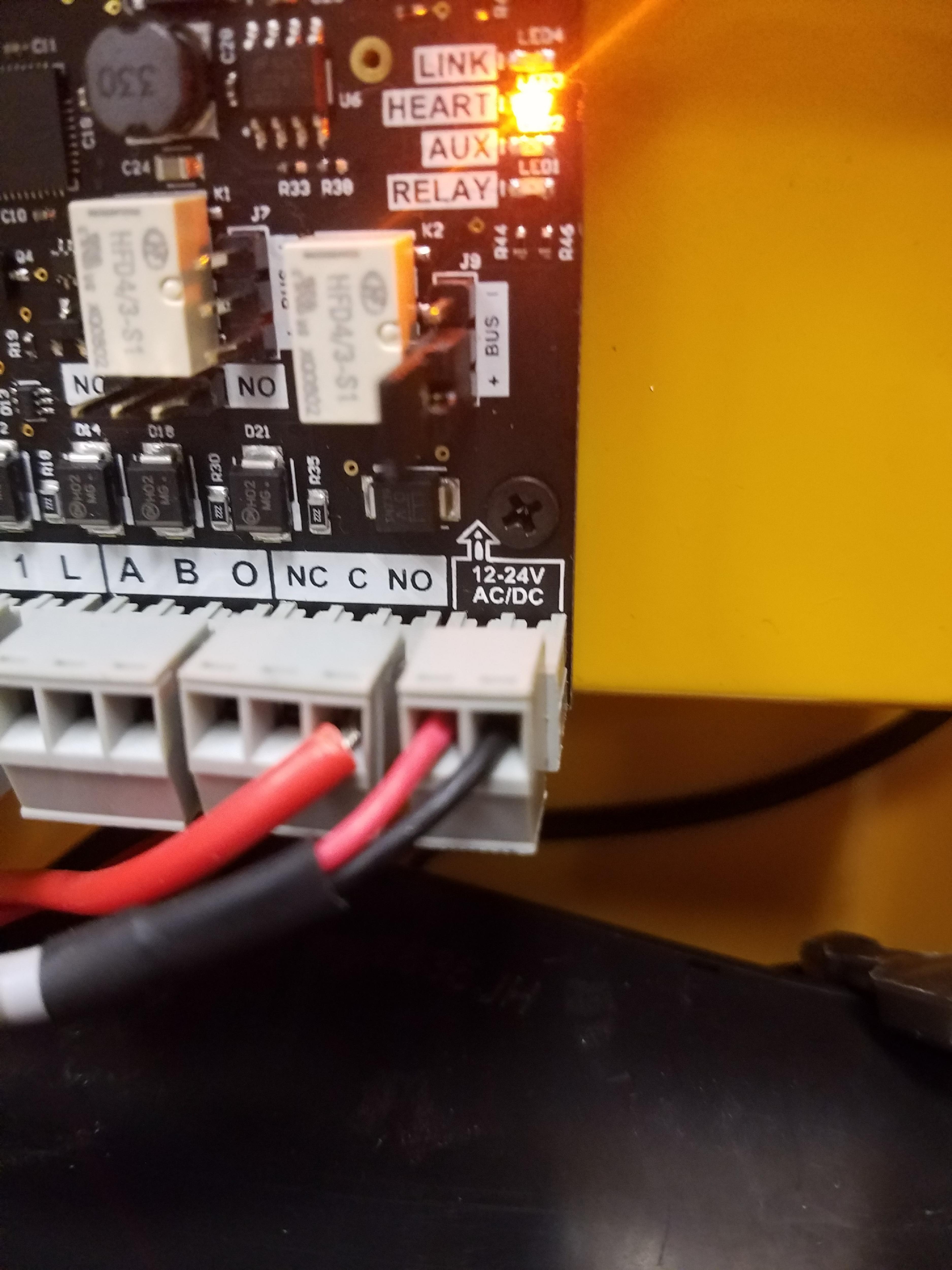
After about 30 seconds with it powered down, you can plug the 12-24 V AC/DC connector back in, but leave the battery disconnected for a few minutes just in case it's too low. If you need further assistance, please email us at easysupport@storable.com or call (888) 958-5967 during normal business hours.