
You can add notes to specific units to record information, such as needed maintenance. Unit notes should not be used for customer-specific notes, as the note will remain regardless of who rents the unit.
Notes can be added when a unit is initially created.
Add or edit unit notes
To add or edit unit notes after a unit has been created, click Edit from the unit page.
Enter information in the Notes field and click Update Unit to save your changes.
View unit notes
The Unit Note section of the Unit dropdown is essentially a report listing all units and their notes for easy access. The report can be filtered, downloaded, and printed.
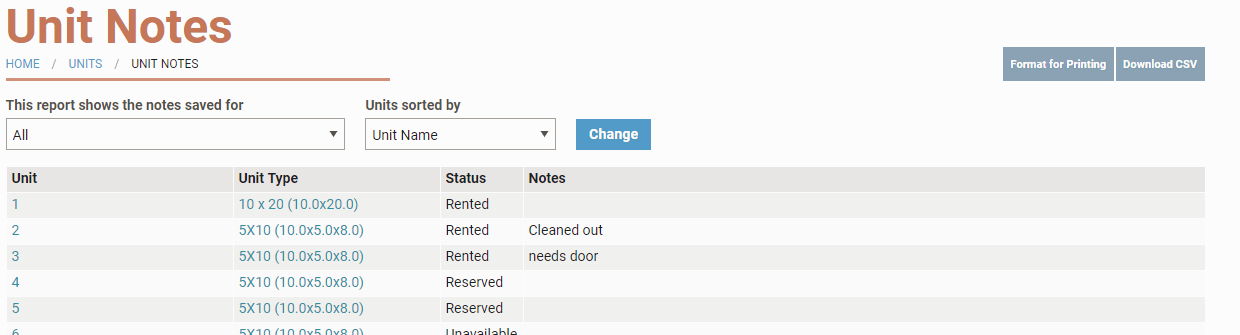
Unit Notes will also appear in the site map and grid view popups as italicized text at the bottom. Note that only 250 characters will show in the initial view.

Who can see, add, or edit unit notes?
All Internal user logins (Storage Facility employees) can add notes to a customer profile.
Only Manager and Owner logins can edit and delete notes in the system. This means that someone with a Sales Associate login can add a note, but cannot change or delete it after it is added.