
The Collections Report shows all customers with a past-due balance. The total balance shown is the customer's full balance and will include invoices that are billed but not yet due, if any are past due. (Customers who are paid current with invoices that are billed but not yet due will not appear on this report.) The Collections Report is pulled in real-time and cannot be sorted by past dates. All balances are current for the day the report is pulled.
To view the report:
1. First, log into your Storable Easy software.
2. Hover over the Reports tab and select All Reports. 3. Under the Accountings/Financials column, select Collections.
 4. By default, the Collections Report defaults to being filtered by Past Due customers and sorted by balance. There are several options for sorting the report. Click Search after selecting an option.

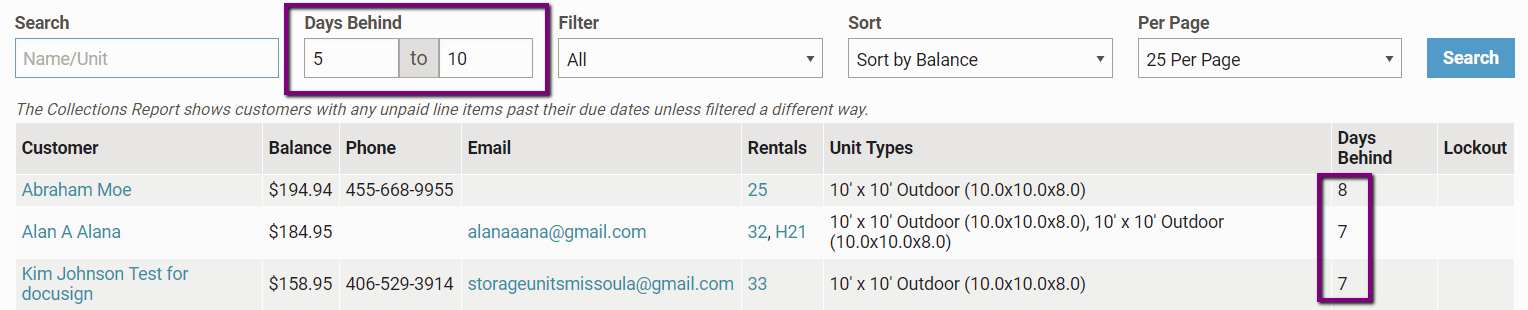
Days Behind
In the example search below, the data has been filtered by customers who are between 5 and 10 days overdue. To see all outstanding customers, leave the Days Behind fields blank.
Filter
From this dropdown, you can sort the list by further information. For instance, if you want to see who is past due and also "locked out" or who is past due on "recurring billing," you can sort those fields here. Sort
Sort
Use to sort your report by name, outstanding balance, lock out date, etc.

"25 Per Page"
This dropdown controls how many customers show up on your page.  You can export a CSV or print a PDF by clicking Download CSV or Format for Printing in the top right corner of the page.